Instagram OPSEC: Protecting Your Account from OSINT
Learn how to hide your Instagram followers list and switch off account suggestions to protect your account from OSINT tools and social engineering.
An Instagram account holds far more information than its owner usually realises. A single photograph may look harmless. But location tags, details in the background, regularly visited places, followed accounts and liked pages, taken together, build a detailed profile: where a person lives, where they work, who they spend time with and when they are likely to be somewhere.
OSINT, or open-source intelligence, is the discipline of piecing these fragments together. No system needs to be breached. Publicly available data is enough to build a comprehensive picture of a target. Fraudsters, social engineering attackers and malicious actors researching a victim all use the same approach. The risk applies to organisations too: employees' personal accounts are often the starting point for social engineering attacks aimed at the company.
This is where OPSEC comes in. OPSEC, or operational security, is the practice of preventing small and seemingly harmless pieces of information from combining to expose you. It is not a one-off setting but a way of thinking: what could an outsider work out from the pieces they already have?
Why the Content You Follow Matters
The accounts you follow reveal your interests, hobbies, industry and even the gym you attend. Social engineering attempts put this information straight to work. A discount link that appears to come from a brand you like, a file that seems to come from a software community you follow, or a friendly first message built around a shared interest is far more convincing because it has been tailored to you.
Your friends list is the most critical element of all. Someone who can see your circle knows who you trust, whose message you are likely to answer and whose identity could be used to reach you. A person who cannot be targeted directly can be reached through the weakest link around them. Protecting your friends list therefore matters not only for your own privacy but for the safety of the people connected to you.
In this article we cover two practical measures to reduce that risk. They complement each other, and neither is sufficient on its own.
Step 1: Hide Your Followers and Following Lists
On Instagram you can set your account to private or public. However, an official setting that separately hides your followers and following lists is not currently available to everyone. Instagram is testing features in this area, and the tests have so far reached only a very small number of accounts. As a result, most users cannot find such an option in their settings menu.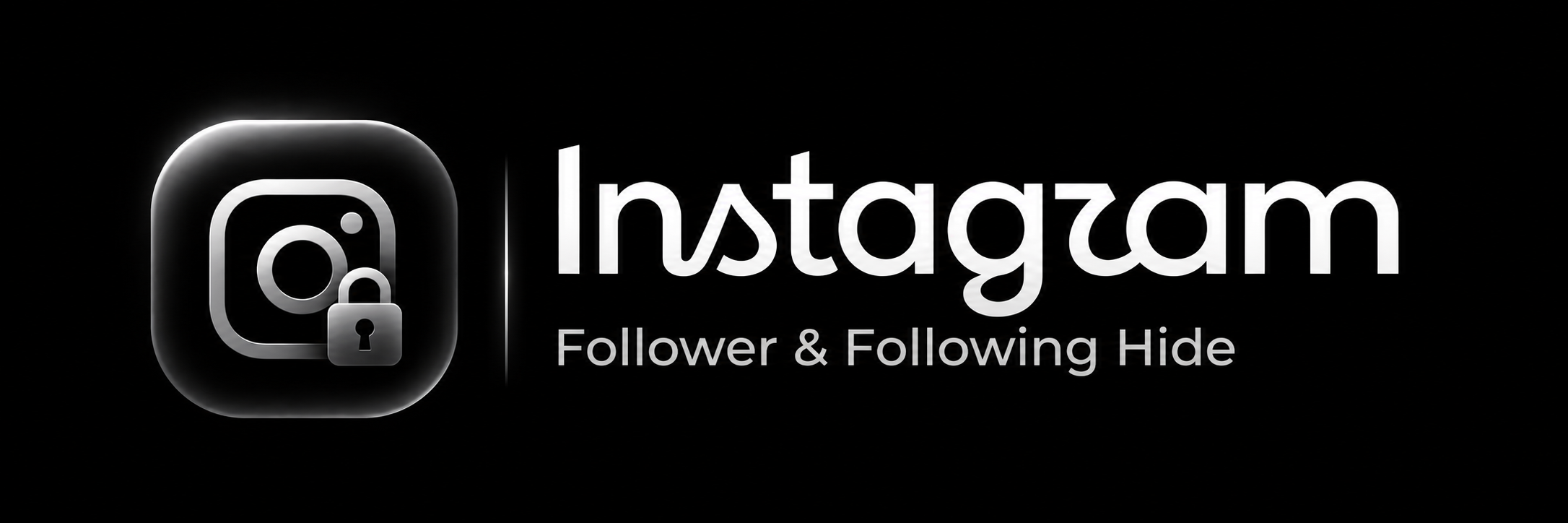
Even when the feature does not appear in the app, it is possible to switch the setting on and off for your account by sending a request to the relevant endpoint. We have published a Python tool for this purpose on GitHub: GitHub repository: Instagram_Following_Follower_Hide
The repository contains two scripts. hide.py hides your followers and following lists, and show.py reverses the setting. Both use only the Python standard library and have been tested with Python 3.12, so no additional installation is required.
Step 2: List Can Still Leak Even When Your Account Is Private
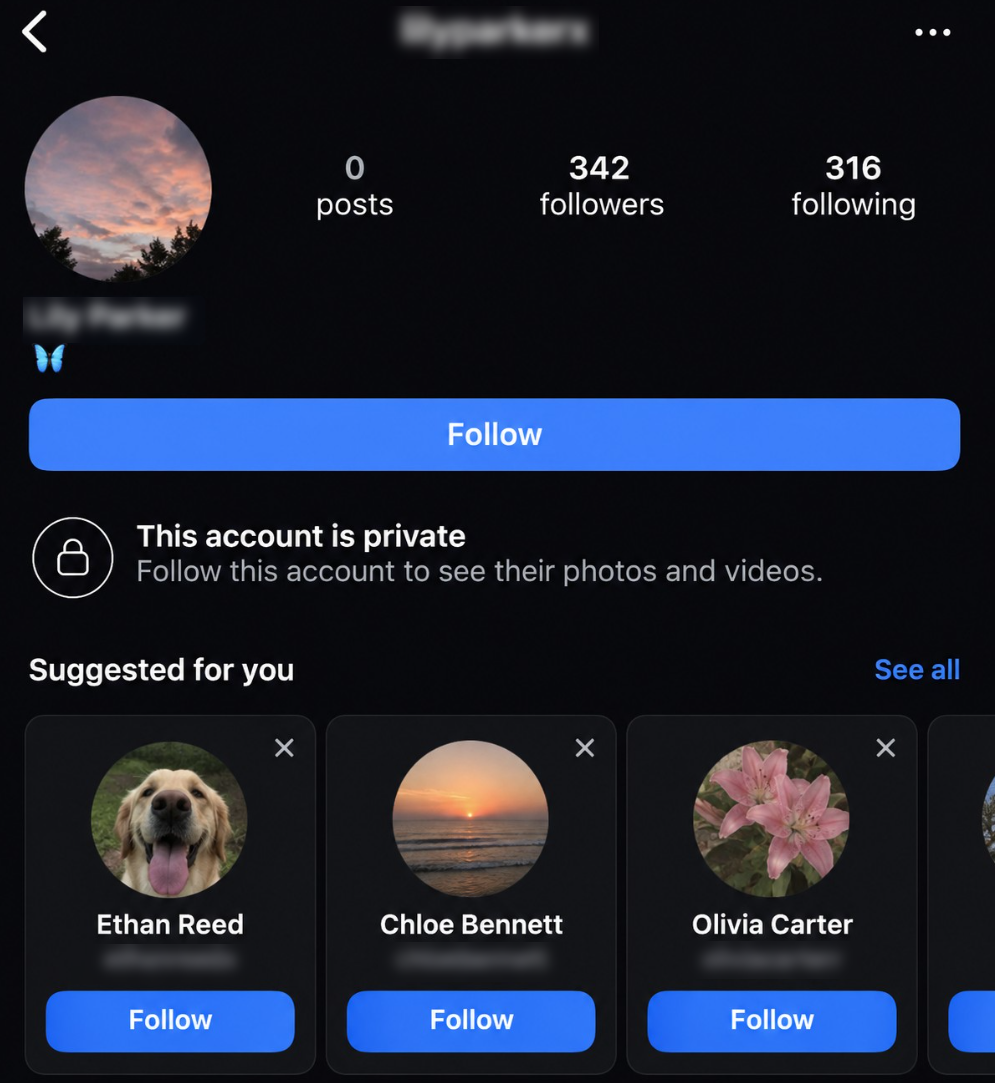
Hiding the list is not enough on its own. Even if your account is private and your followers list is closed, your friends can still become visible through suggested accounts.
The mechanism works like this. When someone views a profile or follows an account, Instagram recommends similar accounts. These suggestions are largely made up of the target's friends. Many OSINT tools, Orca Scanner among them, use this method when collecting information about a target. Autonomous accounts can work through these suggestions one by one and reconstruct the entire friends list around an account. Hiding your list does not close this route, because the information keeps flowing through another channel.
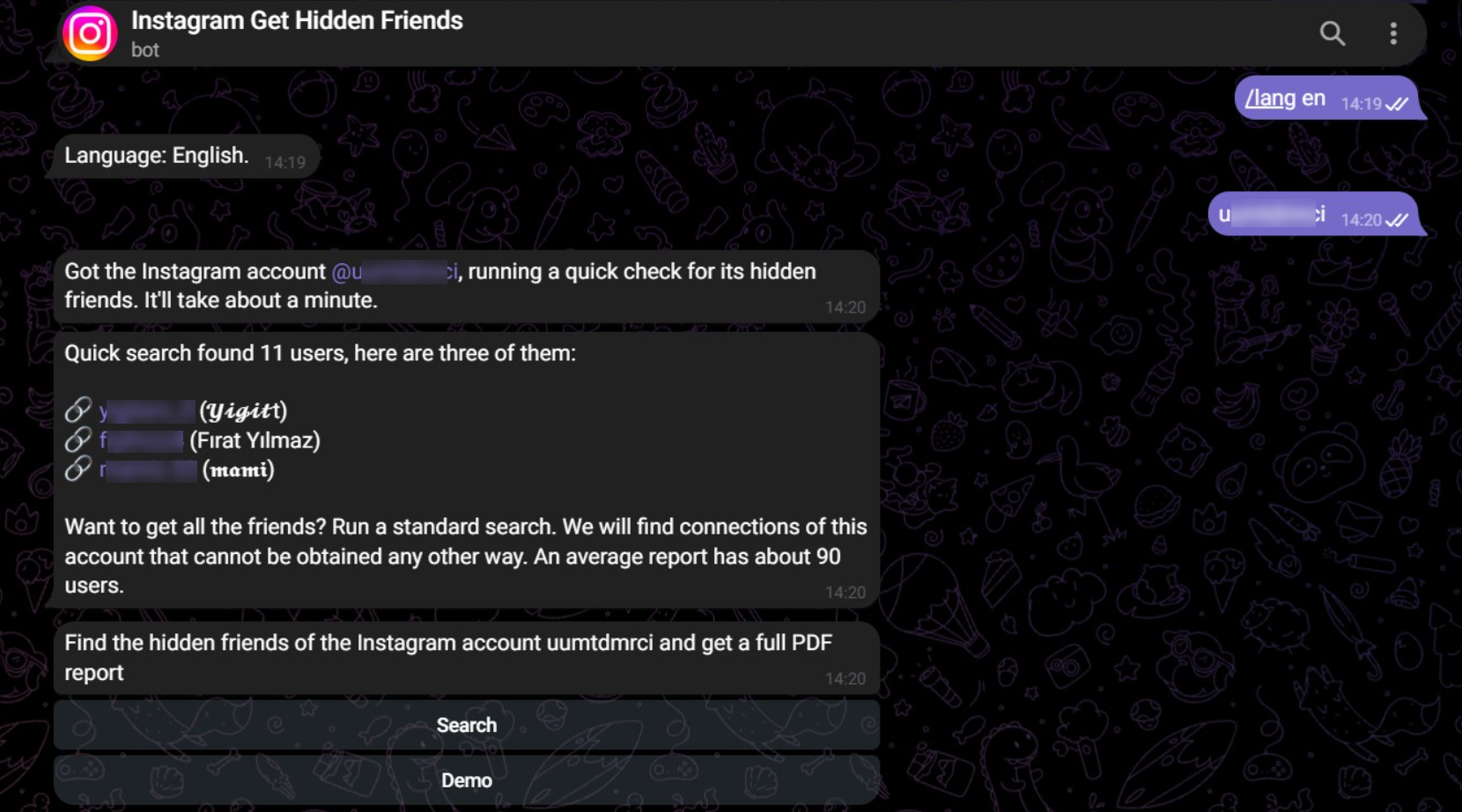
(A Telegram bot used for doxing that performs this action)
To close that channel, you need to switch off the account suggestions feature. This setting is available only on the web version of Instagram, so it needs to be done from a computer:
1. Go to instagram.com in a browser on your computer and log in.
2. Click Profile in the left-hand menu to open your profile.
3. Click Edit profile.
4. Find Show account suggestions on profiles and switch it off.
5. Click Submit.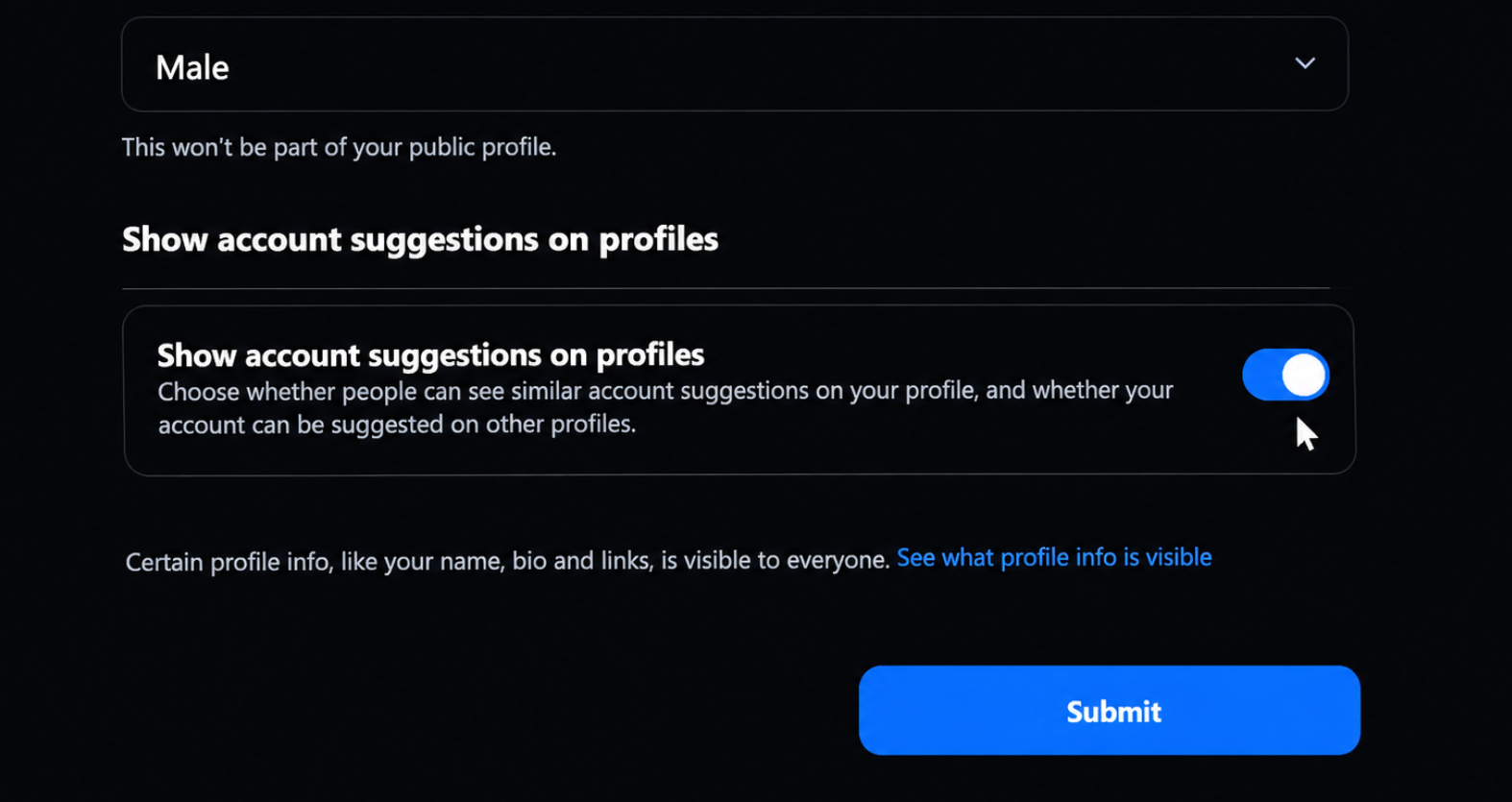
One point to note: according to Instagram's help page, once this setting is switched off your own account also stops appearing as a suggestion on other people's profiles. One setting therefore closes both directions. From a privacy standpoint this is the desired outcome, but corporate accounts that aim to grow their audience should accept this trade-off knowingly.
Additional Security Measures
The two measures above close an important gap, but OPSEC is never complete with a single setting. The following practices are just as decisive:
- Make your account private. Lists and posts are visible only to people you approve.
- Turn off contact syncing. If you have uploaded your contacts to Instagram, you can also be suggested through your phone number.
- Check location tags and photo backgrounds. Do not post content that shows your home, workplace, school or vehicle registration plate.
- Avoid using the same username on every platform. A shared username is the easiest way to link your accounts together.
- Review your followers regularly. Remove accounts you do not recognise and block fake profiles.
- Keep your email address and phone number off your profile. This information is the starting point for many OSINT tools.
- Build awareness within your organisation. Regularly share how employees' social media accounts can be used in attacks against the company.
Conclusion
An attacker does not need an advanced tool to find you. Patience and the pieces they manage to combine are enough. Our approach is to reduce those pieces and make them harder to combine. Hiding your followers list and switching off suggested accounts are two strong steps in that direction. The real difference, however, comes from asking one more time before every post what an outsider could learn from it.
As an OSINT and cyber threat intelligence team, we see these gaps every day. We prepared this article so that you can use the same knowledge on the defensive side. We recommend reviewing your settings today and sharing this guide with the people around you.